
No stacked licences
Skip Teams Phone Standard, Calling Plans and Operator Connect. Built on Azure Communication Services; fully compliant PSTN connectivity.


A full dialer your team installs once and uses everywhere they already work. Make and receive PSTN calls, run conferences, transfer, hold, search the directory, and pick up from desktop notifications, all without leaving Teams.

Skip Teams Phone Standard, Calling Plans and Operator Connect. Built on Azure Communication Services; fully compliant PSTN connectivity.

A personal Teams tab installed from the app catalog. No extra client, no re-training — users already know where it lives.

Make and receive calls worldwide on real phone numbers. Backed by Azure Communication Services.

Float the dialer over anything, or get native OS call notifications on Windows and macOS.

Every call gets a readable event timeline — routing, participants, costs — visibility Teams Phone doesn't give you.

Shared-contacts roles, Azure AD membership modes, white-label per customer — set the rules, Phone enforces them.
CallerConnect Phone offers more flexibility such as; integration with existing PBX'es, easy administration, CRM support, etc.

Phone ships as a Microsoft Teams personal tab, installed from the Teams app catalog (or sideloaded for regulated tenants). Your users see it right alongside Chat, Calendar and their other Teams apps. No separate client, no re-training.
It runs in Teams on desktop and inside your browser. White-label per customer with your logo, tab name and footer. Pop the dialer out of the tab, or install the lightweight desktop companion for native OS call notifications.
Your team sees their own contacts, the organization's shared directory and Microsoft 365 contacts from a single tab. Favorites, search and click-to-call are where you'd expect them.
Admins decide who can create, edit and delete shared contacts.
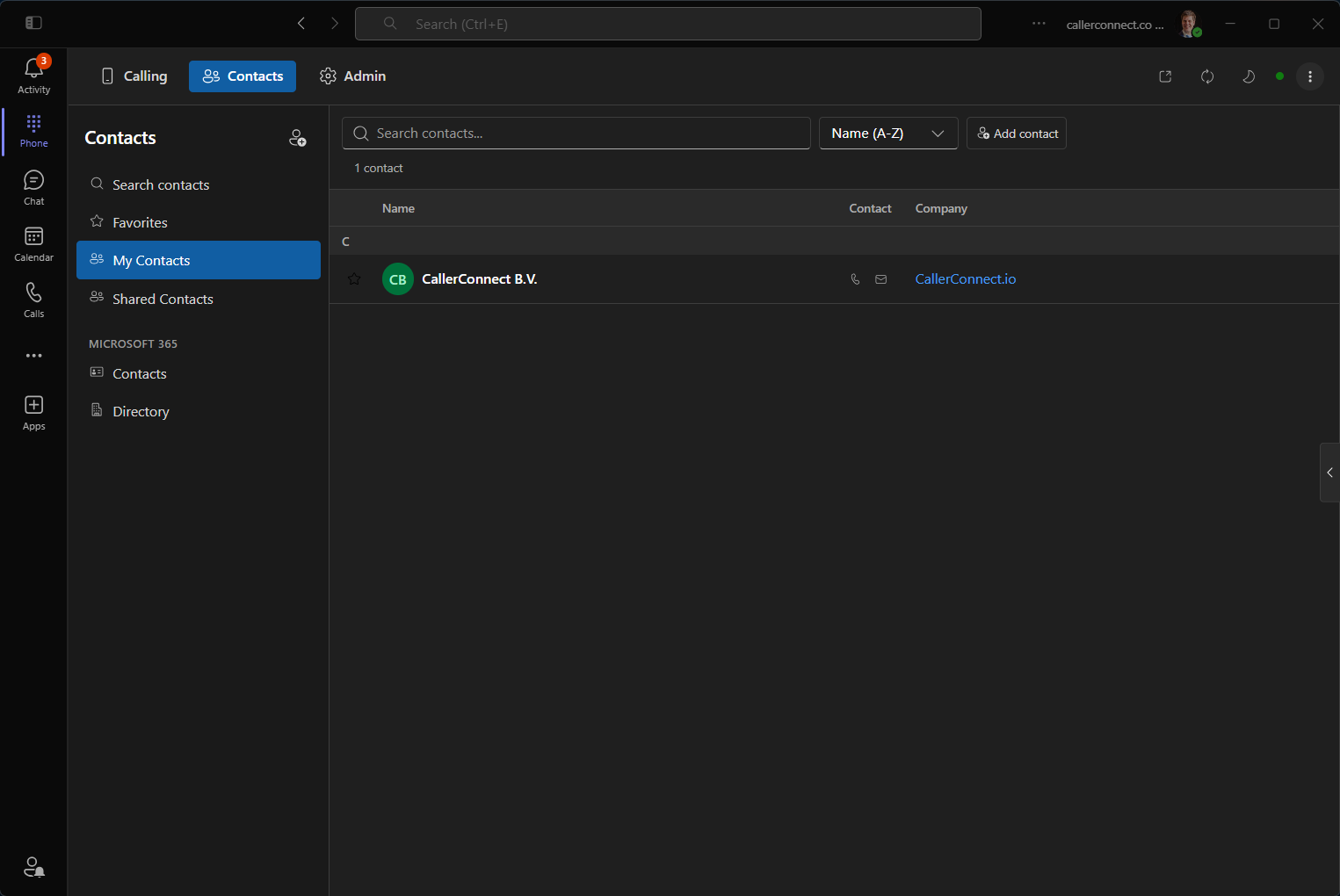
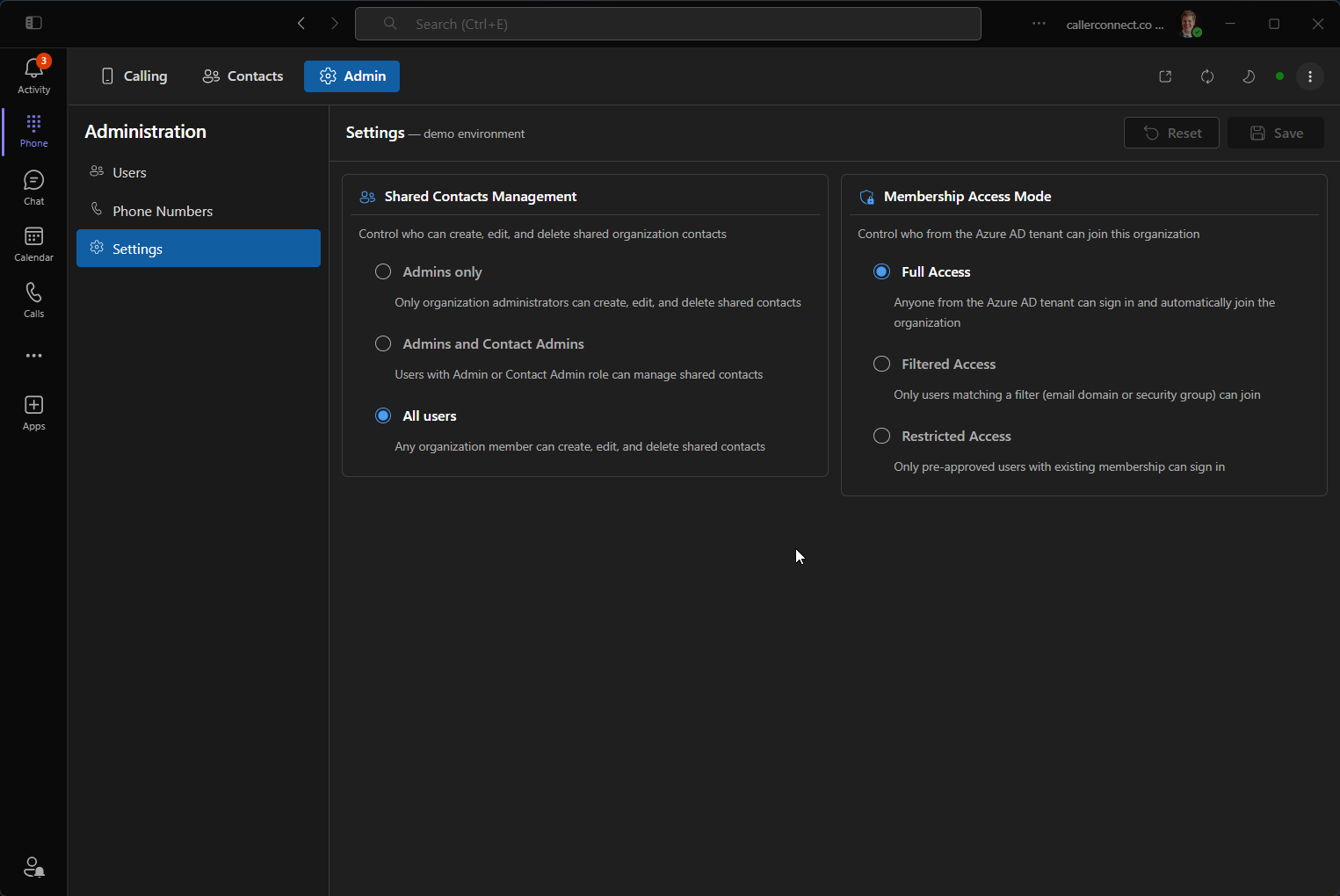
Two things admins always want: control over who can change shared data, and control over who can sign in at all. Phone gives you both.
The companion app allows for a native desktop experience. You will be alerted on incoming calls without have to keep the Phone application open. Immediatly decide to answer or decline the call.

Phone makes and receives PSTN calls on its owns. Your users only need the Teams licence they already have.
30-minute pilot on your own tenant. Your users install a Teams app, make real PSTN calls - you keep your existing licences. No procurement, no migration.